Wednesday, November 10, 2021

How To Remove Now TV Account


Now TV is an online broadband service in UK that also offers watching movies and television through a hardware device. The website let its users to create and edit account information, browse through list of online movies and show, purchase the movies and watch on your TV and smartphone devices. 

How To Remove Now TV Account

Currently there are two ways to delete your account from Now TV website which is given below:-

Remove Your Account through Live Chat

  1. Go to the following url “https://help.nowtv.com/get-in-touch”.
  2. Now scroll down to bottom of the page and click on DROP DOWN ARROW right below ANYTHING ELSE? section.
  3. Once you click on the arrow two button will be appear one is LIVE Chat and other SEND MESSAGE choose the option LIVE CHAT.
  4. Once you click on LIVE CHAT a new window will be appear and a new customer service agent will be connected to the call.
  5. Now tell the customer service agent to delete your account.

Remove Your Account By Sending Email

  1. Open your email account that is registered with account.
  2. Now compose a email and enter the email address customerservice@nowtv.com
  3. On Subject Type “REQUEST TO REMOVE MY ACCOUNT”
  4. Now write an email regarding deleting your account sample given here and click on send button.


Tuesday, November 9, 2021

How To Remove Hotels.com Account


Hotels.com is an online hotel reservation website that let its users to book hotels for their travel destination through online or by telephone. The website let its users to create and edit account information, search your favourite destination spot online, browse through list of online travel destination offer, book your hotel online using various payment methods and write a review related the hotel you book. 

Hotels.com company was founded by David Litman and Robert Diener in 1991 and currently it is one of the best online hotel booking website that can be accessed worldwide. As per source currently there are more than 55.66 million user accessing the website on monthly basis.

How To Remove Hotels.com Account

Currently there are two ways to delete your account from Hotels.com website which is given below:-

Remove Your Account through Website

  1. Go to through the following url “https://ssl.hotels.com/profile/remove.html” and sign-in to your account.
  2. After sign-in to your account follow the simple step by step procedure to delete your account.

Remove Your Account By Sending Email

  1. Go to the following url “https://in.hotels.com/customer_care/email_us.html”.
  2. Now you will be redirect to a form page where you need to fill out the information.
  3. On what would you like to tell us about? choose OTHER.
  4. On would you like a response choose YES.
  5. Now enter your name, email address and on Comment box type that you want to delete your account with a reason mentioned in that section.


How To Remove HBO Now Account


HBO Now is an online video streaming website that let its users to shows and movies aired on HBO Channel. The website let its users to create and edit account information, upload picture, browse through list of online video files and stream those video files at monthly subscription.

How To Remove HBO Now Account

Currently there are two ways to remove your account from HBO Now which is given below:-

Remove Your Account through Website

  1. Go to the following url “https://help.hbonow.com”.
  2. Scroll down to bottom of the page and locate the section CONTACT US.
  3. On Contact Us section click on icon EMAIL US.
  4. Now type the required information like First Name, Last Name Email Address, Device and Phone Number.
  5. On Category Select CANCELLATION.
  6. On Message box type your honest reason to delete your account and then click on button SUBMIT.

Remove Your Account by Sending Mail

  1. Open your email account that is registered with account.
  2. Now compose a email and enter the email address support@HBONOW.com
  3. On Subject Type “REQUEST TO REMOVE MY ACCOUNT”.
  4. Now write an email regarding deleting your account sample given here and click on send button.


Monday, November 8, 2021

How To Remove Mozilla Thunderbird Account

Mozilla Thunderbird is an free and open source software client that let its users to send, receive and manage emails by downloading the software on their computer. The website let its users to create and edit account information, upload picture, register an email account, send and receive email, chat with other registered members.

How To Remove Mozilla Thunderbird Account

Currently there are two ways to remove your account from Mozilla Thunderbird which is given below:-

Remove Your Account through Software

  1. Open your thunderbird software and click in TOOLS which is given at top menu section then a drop down menu will be appeared.
  2. On that drop down menu click on link ACCOUNT SETTINGS.
  3. At the bottom of Account Settings tab click on button REMOVE ACCOUNT and follow the instructions.

Remove Your Account by Sending Mail

  1. Open your email account that is registered with account.
  2. Now compose a email and enter the email address privacy@mozilla.com
  3. On Subject Type “REQUEST TO REMOVE MY ACCOUNT”.
  4. Now write an email regarding deleting your account sample given here and click on send button.

 

How To Remove Khan Academy Account


 Khan Academy is an online educational portal that let its registered users to learn various program at free of cost. The website let its users to create and edit account information, upload pictures, browse through list of online course, watch video related to the course and implement the course related example using inbuilt software especially if you are learning programming.

How To Remove Khan Academy Account

Currently there is only one way to remove your account from Khan Academy which is given below:-

Remove Your Account through Website

  1. Go the following website “https://www.khanacademy.org” and sign-in to your account.
  2. Once you sign-in to your account click on your username which is given at top right side of the page and on drop-down menu click on SETTINGS.
  3. Scroll down to settings page and on Delete Account section click on button REMOVE YOUR ACCOUNT.
  4. Follow a simple process to delete your account. After following the account removal process wait for more than 24 hours to permanently delete your account.

Remove Your Account by Sending Mail

  1. Open your email account that is registered with account.
  2. Now compose a email and enter the email address info@khanacademy.org
  3. On Subject Type “REQUEST TO REMOVE MY ACCOUNT”.
  4. Now write an email regarding deleting your account sample given here and click on send button. Within 72 hours you will receive a mail in your inbox regarding account removal.

 

Thursday, November 4, 2021

How To Remove Earnin Account


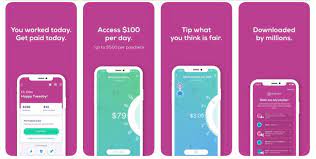
Earnin is an online financial service app that let its users to withdraw interest free wages you already earned till that day before the payday. The website let its users to create and edit account information, upload picture, insert bank account details, cashout the money anytime you want. 

How To Remove Earnin Account

Currently there is only one way to remove your account from Earnin app which is given below:

Remove Your Account through App

  1. Open Earnin App.
  2. Click on button at the bottom “CLOSE MY ACCOUNT NOW” to delete your account. Once deleted the account will never be recovered you will have to make a new account in order to use service again.

Remove Your Account by Sending Mail

  1. Open your email account that is registered with account.
  2. Now compose a email and enter the email address support@earnin.com
  3. On Subject Type “REQUEST TO REMOVE MY ACCOUNT”.
  4. Now write an email regarding deleting your account sample given here and click on send button. Within 72 hours you will receive a mail in your inbox regarding account removal.


How To Remove Nintendo Switch Account


 Nintendo Switch is an monthly subscriber based services provided by Nintendo company to their handheld console users . The website let its users to create and edit account information, upload picture, play or download the game on their devices, chat with other community members and can also play multiplayer games with them.

How To Remove Nintendo Switch Account

Currently there is only one way to remove your account from Nintendo Switch website which is given below:-

Remove Your Account by Sending Mail

  1. Open your email account that is registered with account.
  2. Now compose a email and enter the email address sp-support@nintendo.co.jp
  3. On Subject Type “REQUEST TO REMOVE MY ACCOUNT”.
  4. Now write an email regarding deleting your account sample given here and click on send button. Within 72 hours you will receive a mail in your inbox regarding account removal.