
Monday, November 8, 2021

How To Remove Khan Academy Account


 Khan Academy is an online educational portal that let its registered users to learn various program at free of cost. The website let its users to create and edit account information, upload pictures, browse through list of online course, watch video related to the course and implement the course related example using inbuilt software especially if you are learning programming.

How To Remove Khan Academy Account

Currently there is only one way to remove your account from Khan Academy which is given below:-

Remove Your Account through Website

  1. Go the following website “https://www.khanacademy.org” and sign-in to your account.
  2. Once you sign-in to your account click on your username which is given at top right side of the page and on drop-down menu click on SETTINGS.
  3. Scroll down to settings page and on Delete Account section click on button REMOVE YOUR ACCOUNT.
  4. Follow a simple process to delete your account. After following the account removal process wait for more than 24 hours to permanently delete your account.

Remove Your Account by Sending Mail

  1. Open your email account that is registered with account.
  2. Now compose a email and enter the email address info@khanacademy.org
  3. On Subject Type “REQUEST TO REMOVE MY ACCOUNT”.
  4. Now write an email regarding deleting your account sample given here and click on send button. Within 72 hours you will receive a mail in your inbox regarding account removal.
 

Thursday, November 4, 2021

How To Remove Earnin Account


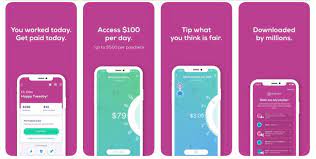
Earnin is an online financial service app that let its users to withdraw interest free wages you already earned till that day before the payday. The website let its users to create and edit account information, upload picture, insert bank account details, cashout the money anytime you want. 

How To Remove Earnin Account

Currently there is only one way to remove your account from Earnin app which is given below:

Remove Your Account through App

  1. Open Earnin App.
  2. Click on button at the bottom “CLOSE MY ACCOUNT NOW” to delete your account. Once deleted the account will never be recovered you will have to make a new account in order to use service again.

Remove Your Account by Sending Mail

  1. Open your email account that is registered with account.
  2. Now compose a email and enter the email address support@earnin.com
  3. On Subject Type “REQUEST TO REMOVE MY ACCOUNT”.
  4. Now write an email regarding deleting your account sample given here and click on send button. Within 72 hours you will receive a mail in your inbox regarding account removal.


How To Remove Nintendo Switch Account


 Nintendo Switch is an monthly subscriber based services provided by Nintendo company to their handheld console users . The website let its users to create and edit account information, upload picture, play or download the game on their devices, chat with other community members and can also play multiplayer games with them.

How To Remove Nintendo Switch Account

Currently there is only one way to remove your account from Nintendo Switch website which is given below:-

Remove Your Account by Sending Mail

  1. Open your email account that is registered with account.
  2. Now compose a email and enter the email address sp-support@nintendo.co.jp
  3. On Subject Type “REQUEST TO REMOVE MY ACCOUNT”.
  4. Now write an email regarding deleting your account sample given here and click on send button. Within 72 hours you will receive a mail in your inbox regarding account removal.



How To Remove Qualtrics Account


Qualtrics is a online survey building software that let its users to create simple or logic based surveys for various niche such as marketing research, employees evaluation, customer feedback and much more. The website let its users to create and edit account information, create a survey using various inbuilt button, distribute the survey using various method like email, social media, through app or QR Code and check the status of the form you distributed to the users.

How To Remove Qualtrics Account

Currently there is only one way to remove your account from Qualtrics website which is given below:-

Remove Your Account through Website

  1. Copy the web address “https://www.qualtrics.com/support-center/?Product=survey-platform” into your browser and hit enter.
  2. Now you will be redirected to How We Can Help You? page here scroll down and click on EMAIL section.
  3. Now fill out the form details like name, email address and username.
  4. On Subject Line Type “ACCOUNT REMOVAL REQUEST”.
  5. Choose option TECHNICAL QUESTION/ISSUE and click on button >>.
  6. On Next form page just type your reason to delete your account on Description of Issue, choose Yes on option “Do you give us permission to login to your account if necessary?” and click on button >>.
  7. Wait for at least 72 hours for the company to respond to your ticket on your email address.


How To Remove Quizlet Account


Quizlet is an online study application that provides interactive ways for students to learn various subject topics using flashcards, games and test. The website let its users to create and edit account information, browse or search list of online quiz game, create your own quiz and get detail on report on how you perform in the quiz. We have recently received request from various users that they would like to delete their account from Quizlet.

How To Remove Quizlet Account

Currently there is only one way to remove your account from Quizlet website which is given below:

Remove Your Account through Website

  1. Copy the web address “https://quizlet.com/settings” and sign-in to your account.
  2. Once you sign-in you will be redirected to settings page here scroll down to bottom and click on Remove ACCOUNT, type your password in the field and then click on CONTINUE to delete your account.

Remove Your Account by Sending Mail

  1. Open your registered email account dashboard.
  2. Now compose a email and enter the email address support@quizlet.com
  3. On Subject Type “REQUEST TO REMOVE MY ACCOUNT”.
  4. Now write an email regarding deleting your account sample given here and click on send button. Within 72 hours you will receive a mail in your inbox regarding account removal.


Wednesday, November 3, 2021

How To Remove Quadriga Account


Quadriga is an online cryptocurrency exchanging platform that is providing simplifies ways to trade your money in digital currency such as Bitcoin, Litecoin etc. In the website you can register your account, browse through list of online digital currency, deposit and withdraw money from bank to account, check live market price and trade on the currency you like. 

How To Remove Quadriga Account

Currently there are two ways to Remove your account from Quadriga website which i have given below:-

Remove Your Account through Website

  1. Go to the following url “https://support.quadrigacx.com/support/tickets/new”.
  2. Once you go through the domain you will directly go through Support Center here you have to fill out form.
  3. On Subject type “Request To Remove My Account”.
  4. Type your email address and on category choose LOGIN.
  5. On Subcategory choose option FROZEN/SUSPENDED ACCOUNT.
  6. On Description Box Type your honest reason to delete your account and then click on button SUBMIT.

Remove Account by Sending E-Mail

  1. Open your email account and compose a new mail
  2. Copy this email address contact@quadrigacx.com
  3. On Subject Type “REQUEST TO REMOVE MY ACCOUNT”.
  4. Now write an email regarding deleting your account sample given here and click on send button. Within 72 hours you will receive a mail in your inbox regarding account removal.

 

Remove Kelly Services Account


 Kelly Services is an American recruitment agency that provides staffing solution to various companies such as IT Sector, Financial Firm, Manufacturing Industry and Law Firms. The website let its users to create and edit account information, browse or search through list of online job, create, update or upload resume on the website and apply for the job of your choice

How To Remove Kelly Services Account

Currently there is only one way to delete your account from Kelly Services website which i have mentioned below:-

Remove Account by Sending E-Mail

  1. Open your email account and compose a new mail
  2. Copy this email address privacy@kellyservices.com
  3. On Subject Type “REQUEST TO REMOVE MY ACCOUNT”.
  4. Now write an email regarding deleting your account sample given here and click on send button. Within 72 hours you will receive a mail in your inbox regarding account removal.